
Your Sonos controls, one key away.
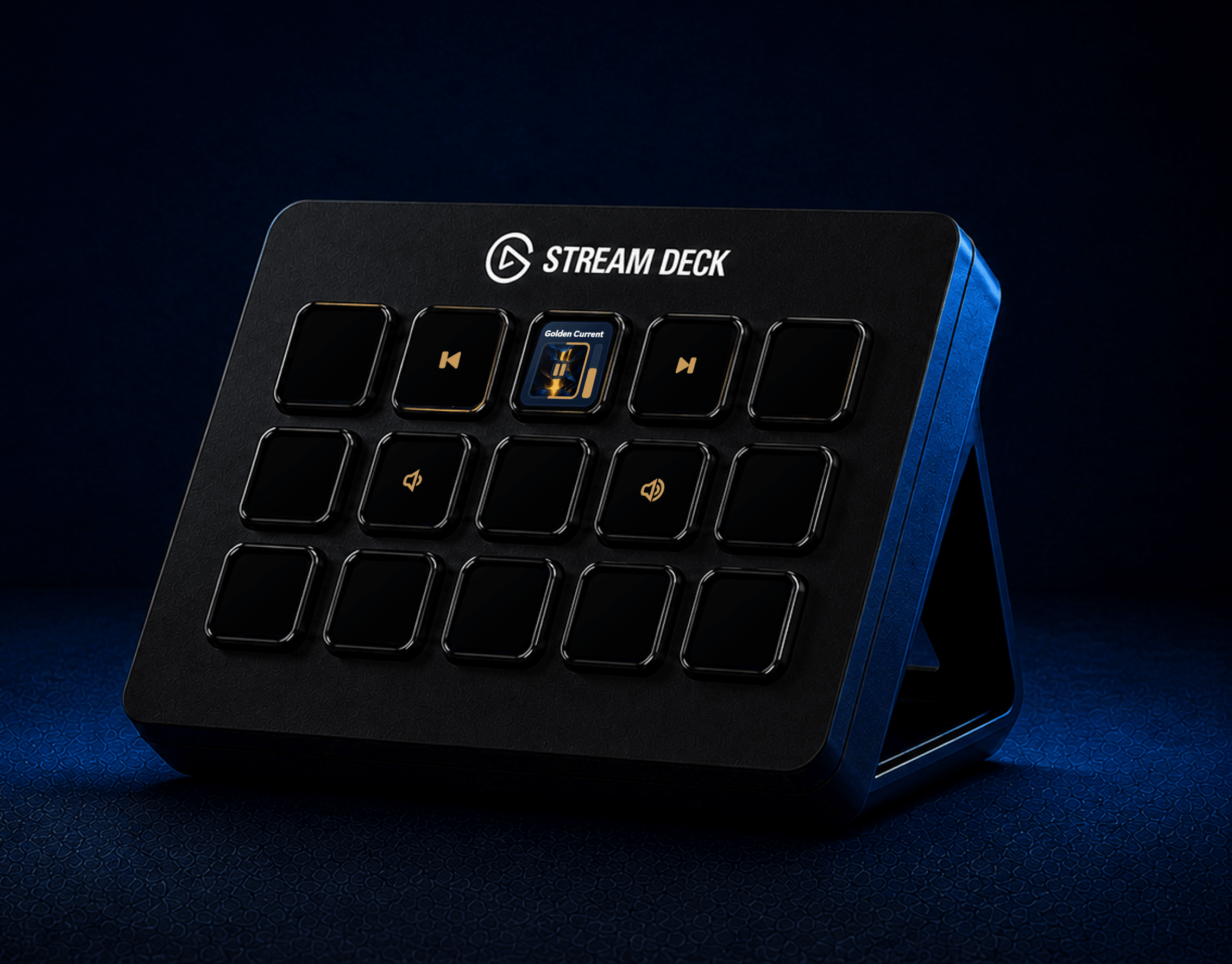
Playback - Sonos is a one-time-purchase plugin that puts Sonos artwork, progress, playback, volume, and room or group controls on any Stream Deck with keys.
- 4.99 · Buy once · No subscription
- Works with all Stream Deck models that have keys, including Stream Deck+
- Mac and Windows
- Version 1.8 · Updated
- Elgato Marketplace checkout
Gallery
See the live artwork, controls, customization, and compatibility before you add it to your Stream Deck.
Control the player from the keys.
Put the Sonos room you care about on a compact set of keys. The live key stays readable while focused actions handle the rest.
- Skip a trackMove through the queue
- Play or pauseUse the live artwork key
- Change volumePress either volume key
Golden Current
Lumen Falls
- ▶Golden CurrentLumen Falls
- 02Velvet OrbitKestrel Drive
- 03Green FrequencySignal Bloom
Playing Golden Current.
Try the five lit keys—the media player and Stream Deck stay synchronized.
Make it match your setup.
Choose a palette to see it applied to every real plugin key.
Everything from fit to first use.
Check compatibility, follow the setup path, and get clear answers before you put the plugin on your Stream Deck.
Compatibility
Confirm your hardware, platform, and Stream Deck software before buying.
Which Stream Deck models work?
Playback works with all Stream Deck models that have keys, including Stream Deck+.
Can I configure Sonos rooms or groups?
Yes. You can target individual Sonos rooms and groups.
Can I use multiple Sonos configurations?
Yes. Multiple room or group configurations can coexist within one Stream Deck profile.
Which version, platform, and Stream Deck software requirement are current?
Version 1.8 was released on 2026-07-14. The current Elgato Marketplace listing shows Mac and Windows with Stream Deck 7.1 or later.
Setup
Go from Marketplace checkout to working controls in three steps.
- Get the plugin from the Elgato Marketplace.4.99 · one-time purchase. Final currency is shown for your region on the Marketplace.
- Add its actions in the Stream Deck app.Place the key or dial actions where they make sense in your profile.
- Choose your controls and appearance.Pick the media target and tune the colors to match your setup.
Need the complete setup path? Read the complete Sonos setup guide.
Common questions
Pricing, customization, support, and who makes the plugin.
Is this a subscription?
No. It is a one-time purchase through the Elgato Marketplace.
Can I customize colors?
Yes. You can customize the main and accent colors for the control surface.
Where do I get support?
Direct support from the independent maker is available through the Peeter's Maker Hub Discord.
Is this an official Elgato product?
No. Peeter's Maker Hub is independently developed and is not affiliated with or endorsed by Elgato, Corsair, Microsoft, or Sonos.
Buy once. Keep control.
Put Sonos on your keys.
Buy once for 4.99. No subscription. Install through the Elgato Marketplace and configure it in the Stream Deck app. Works with all Stream Deck models that have keys, including Stream Deck+.
- Independent Stream Deck developer
- Elgato Marketplace checkout
- Direct Discord support